SereneSheets
College Budget Planner — Weekly Allowance & Semester Tracking for Google Sheets & Excel
College Budget Planner — Weekly Allowance & Semester Tracking for Google Sheets & Excel
Couldn't load pickup availability
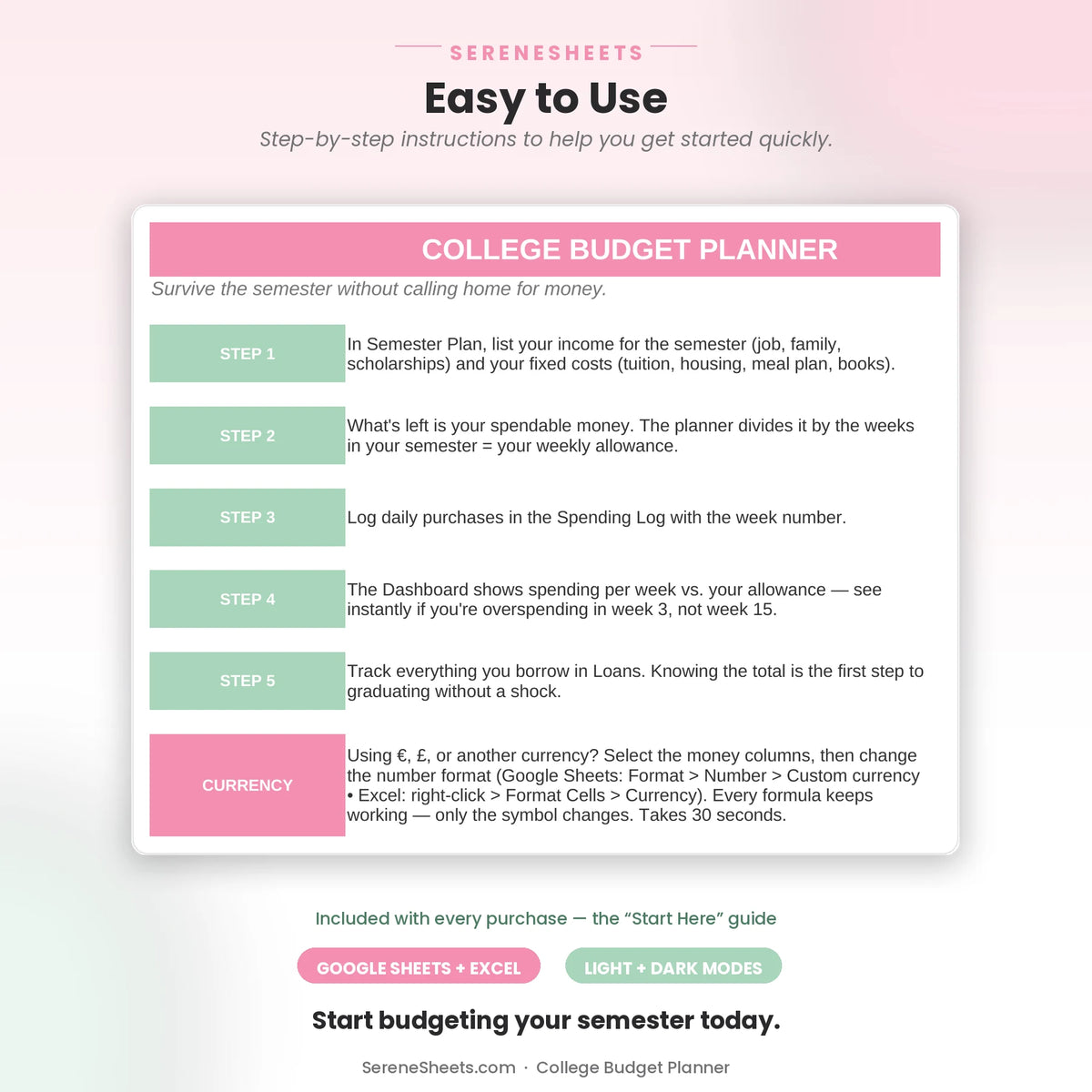
This College Budget Planner turns your semester income into a simple weekly allowance you can actually stick to. Enter your income and fixed costs once, and it calculates exactly how much you can spend each week, tracks your spending against it, and breaks everything down by category automatically. Built for Google Sheets and Excel.
✨ Why You'll Love It
- ✔ See your exact weekly allowance calculated automatically from your semester income
- ✔ Watch a week-by-week progress bar comparing your spending to your allowance
- ✔ See your spending broken down across 7 categories, from food to school supplies
- ✔ Set your own weeks-in-semester, works for 16-week terms or any length
- ✔ Keep a simple loans awareness list, not a payoff calculator, just what you owe and to whom
- ✔ Works perfectly in both Google Sheets and Microsoft Excel
📦 What's Included
- ✔ Light Edition — Excel (.xlsx) + Google Sheets copy link
- ✔ Dark Edition — Excel (.xlsx) + Google Sheets copy link
- ✔ Quick Start Guide (PDF)
🎯 Perfect For
- ✔ College students managing loan money or a part-time income for the first time
- ✔ Parents who want to hand their student a simple system, not a lecture
- ✔ A practical back-to-school or graduation gift
💬 Frequently Asked Questions
How does the weekly allowance actually work?
Enter your total income and fixed costs for the semester, plus how many weeks it covers. The planner divides what's left by your number of weeks automatically, so you always know exactly how much you can spend this week.
Does it work with Google Sheets and Excel?
Yes. Every purchase includes both versions, so you can use whichever platform you prefer.
Can I use my own currency?
Yes. You can change the currency symbol in seconds without affecting any formulas or calculations.
Does this help me pay off my student loans?
No, the Loans sheet is an awareness list only, your loans, amounts, and interest rates in one place, not a payoff calculator or amortization tool. For payoff planning, check out our Debt Payoff Planner instead.
⚙️ More Details
How it works
1. Purchase your template.
2. Download instantly after checkout.
3. Open it in Google Sheets or Microsoft Excel.
4. Enter your numbers and let the planner do the rest.
Compatibility
Compatible with Google Sheets, Microsoft Excel, Windows, Mac, and mobile viewing through Google Sheets.
Need something different?
Looking for a custom version? We can create a personalized template with different categories, a custom color theme, extra tabs, additional dashboards, or other features to match your needs. Simply contact us and tell us what you're looking for—we'd love to help.
Support & 30-Day Guarantee
Need help? Contact us anytime at support@serenesheets.com. If the template isn't the right fit, you're covered by our 30-day money-back guarantee.
Share