SereneSheets
Debt Payoff Planner — Snowball & Avalanche Calculator for Google Sheets & Excel
Debt Payoff Planner — Snowball & Avalanche Calculator for Google Sheets & Excel
Couldn't load pickup availability
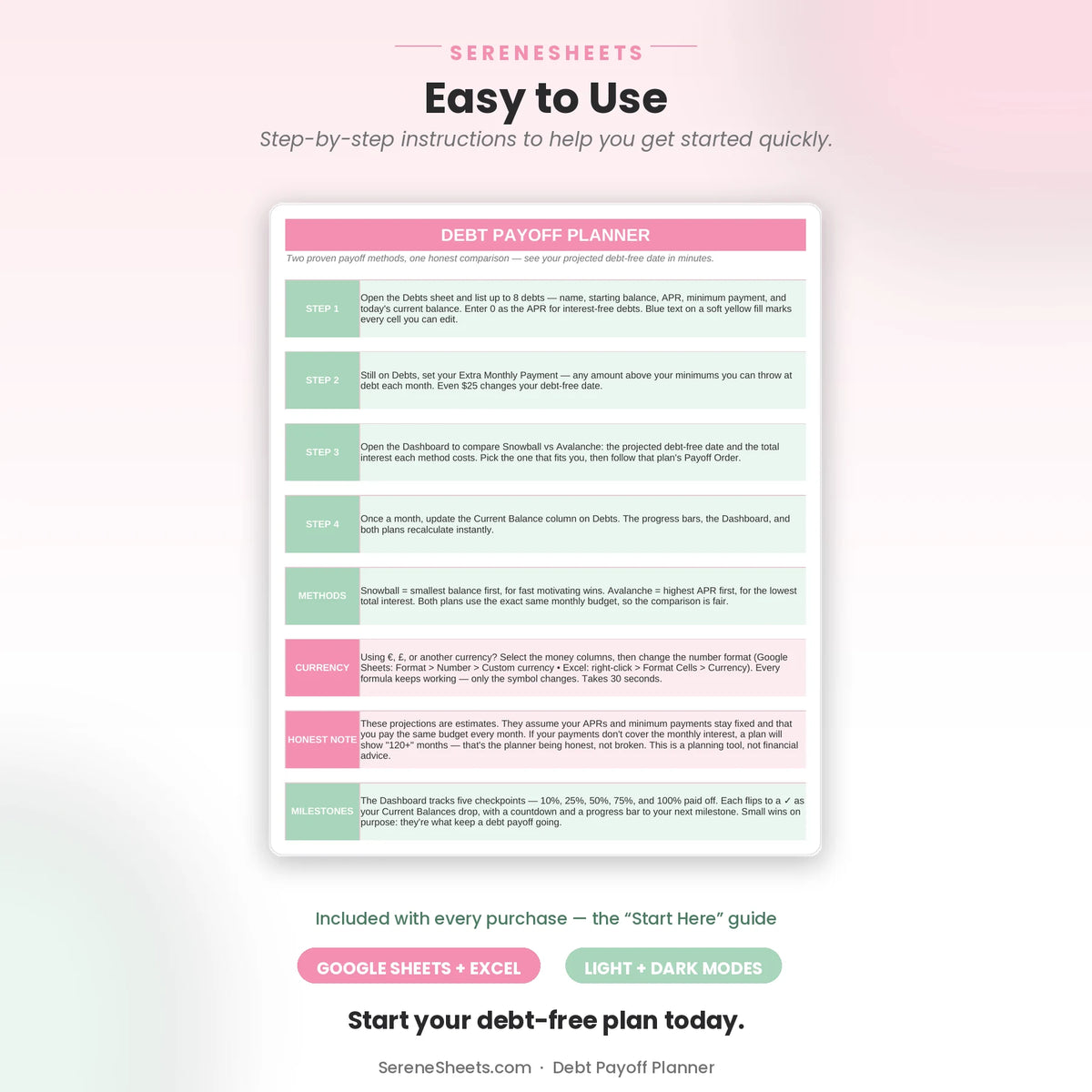
This Debt Payoff Planner calculates two proven strategies side by side: the Debt Snowball and the Debt Avalanche. Enter up to 8 debts once, and it automatically ranks your payoff order, projects your debt-free date, and shows exactly how much interest each method saves you. Beginner-friendly, built for Google Sheets and Excel.
✨ Why You'll Love It
- ✔ Compare the Snowball and Avalanche methods side by side, calculated automatically
- ✔ Track up to 8 debts with automatic payoff ranking for each strategy
- ✔ See your projected debt-free date and total interest for both methods
- ✔ Follow a 120-month simulation that shows exactly how your balances shrink
- ✔ Hit five milestones along the way, from 10% paid to fully debt-free
- ✔ Works perfectly in both Google Sheets and Microsoft Excel
📦 What's Included
- ✔ Light Edition — Excel (.xlsx) + Google Sheets copy link
- ✔ Dark Edition — Excel (.xlsx) + Google Sheets copy link
- ✔ Quick Start Guide (PDF)
🎯 Perfect For
- ✔ Anyone starting a debt-free journey who's unsure whether snowball or avalanche fits them better
- ✔ People juggling multiple cards or loans who want one place to see it all
- ✔ A supportive gift for someone committing to get out of debt this year
💬 Frequently Asked Questions
What's the difference between the Snowball and Avalanche methods, and do I have to choose?
No, you don't have to choose. Both strategies are calculated automatically side by side from the same debts, so you can compare your projected debt-free date and total interest for each before deciding which to follow.
Does it work with Google Sheets and Excel?
Yes. Every purchase includes both versions, so you can use whichever platform you prefer.
Can I use my own currency?
Yes. You can change the currency symbol in seconds without affecting any formulas or calculations.
How many debts can I track?
Up to 8 debts, each with its own balance, APR, and minimum payment. Add your extra monthly payment once, and both payoff strategies update automatically.
⚙️ More Details
How it works
1. Purchase your template.
2. Download instantly after checkout.
3. Open it in Google Sheets or Microsoft Excel.
4. Enter your numbers and let the planner do the rest.
Compatibility
Compatible with Google Sheets, Microsoft Excel, Windows, Mac, and mobile viewing through Google Sheets.
Need something different?
Looking for a custom version? We can create a personalized template with different categories, a custom color theme, extra tabs, additional dashboards, or other features to match your needs. Simply contact us and tell us what you're looking for—we'd love to help.
Support & 30-Day Guarantee
Need help? Contact us anytime at support@serenesheets.com. If the template isn't the right fit, you're covered by our 30-day money-back guarantee.
Share