SereneSheets
Emergency Fund Builder — Milestones & Months of Safety for Google Sheets & Excel
Emergency Fund Builder — Milestones & Months of Safety for Google Sheets & Excel
Couldn't load pickup availability
A fully automated Emergency Fund Builder that turns "save for emergencies" into a clear number, for Google Sheets and Excel. Set your target in months of expenses, log your contributions, and the dashboard shows your months of safety covered, your milestones hit, and an estimated date to reach your goal, all automatically.
✨ Why You'll Love It
- ✔ Months of Expenses Banked updates live as you save, turning your balance into real safety, not just a number
- ✔ Four built-in milestones — $500 saved, 1 month, 3 months, 6 months of expenses — each marked ✓ Done! the moment you hit it
- ✔ Estimated months to reach your goal, based on your own planned monthly contribution
- ✔ Contribution Log supports withdrawals too, so it's a real running balance, not deposit-only
- ✔ Visual progress bar toward your target
- ✔ Works perfectly in both Google Sheets and Microsoft Excel
📦 What's Included
- ✔ Light Edition — Excel (.xlsx) + Google Sheets copy link
- ✔ Dark Edition — Excel (.xlsx) + Google Sheets copy link
- ✔ Quick Start Guide (PDF)
🎯 Perfect For
- ✔ Anyone building their first emergency safety net from scratch
- ✔ People who want a real target in months of expenses, not a guessed dollar figure
- ✔ Savers who want small milestones to celebrate along the way, not just one big goal
💬 Frequently Asked Questions
How does it calculate my target?
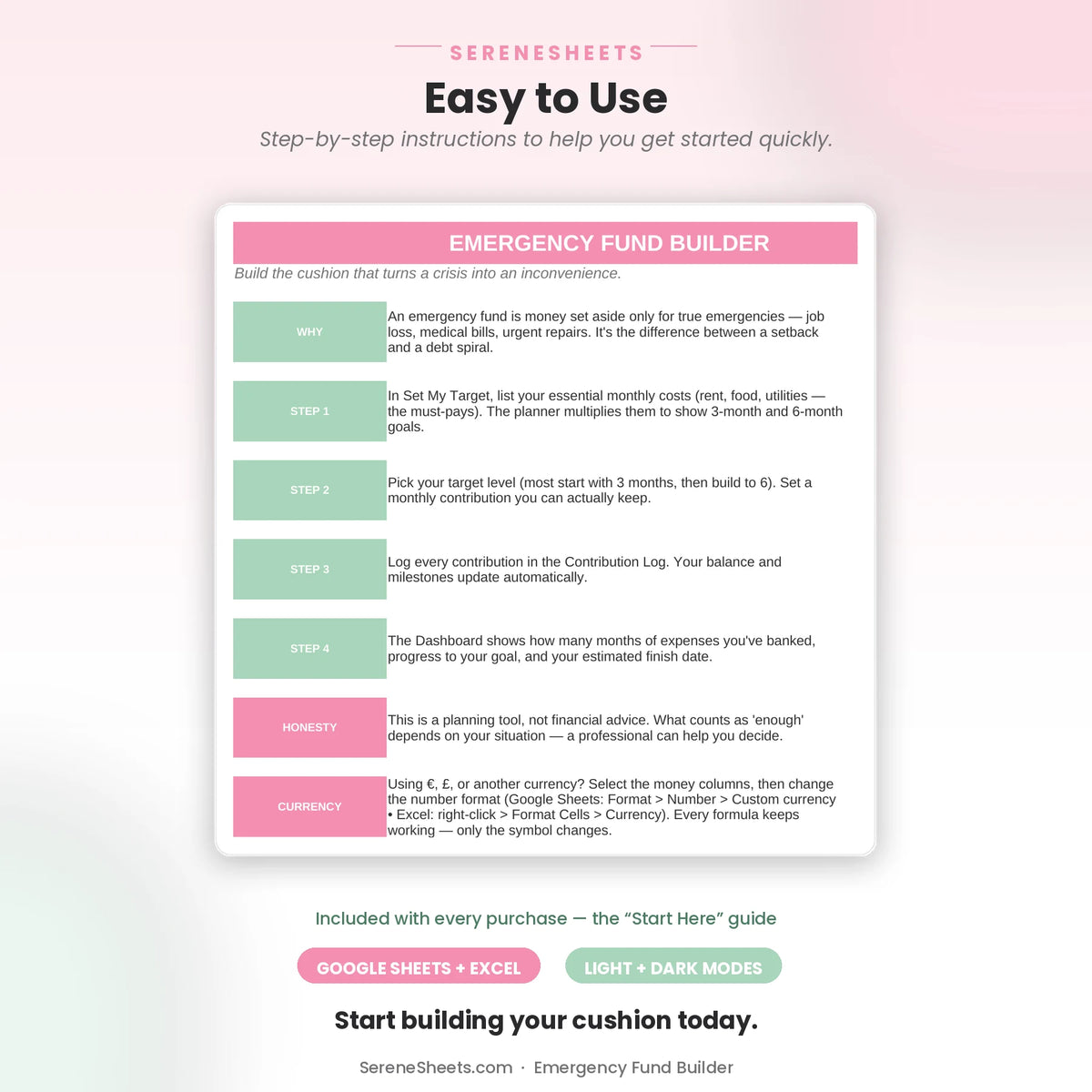
List your essential monthly costs and choose a target level in months (3 to start, 6 to be secure). The dollar target and your months of expenses banked are both calculated from there.
Does it work with Google Sheets and Excel?
Yes. Every purchase includes both versions, so you can use whichever platform you prefer.
Can I use my own currency?
Yes. You can change the currency symbol in seconds without affecting any formulas or calculations.
Can I track withdrawals if I need to use the fund?
Yes. Enter a negative amount in the Contribution Log and your running balance updates accordingly — this is a real running-balance tool, not deposit-only.
⚙️ More Details
How it works
1. Purchase your template.
2. Download instantly after checkout.
3. Open it in Google Sheets or Microsoft Excel.
4. Enter your numbers and let the planner do the rest.
Compatibility
Compatible with Google Sheets, Microsoft Excel, Windows, Mac, and mobile viewing through Google Sheets.
Need something different?
Looking for a custom version? We can create a personalized template with different categories, a custom color theme, extra tabs, additional dashboards, or other features to match your needs. Simply contact us and tell us what you're looking for—we'd love to help.
Support & 30-Day Guarantee
Need help? Contact us anytime at support@serenesheets.com. If the template isn't the right fit, you're covered by our 30-day money-back guarantee.
Share