SereneSheets
Family & Couple Budget — Shared Expenses & Settle-Up for Google Sheets & Excel
Family & Couple Budget — Shared Expenses & Settle-Up for Google Sheets & Excel
Couldn't load pickup availability
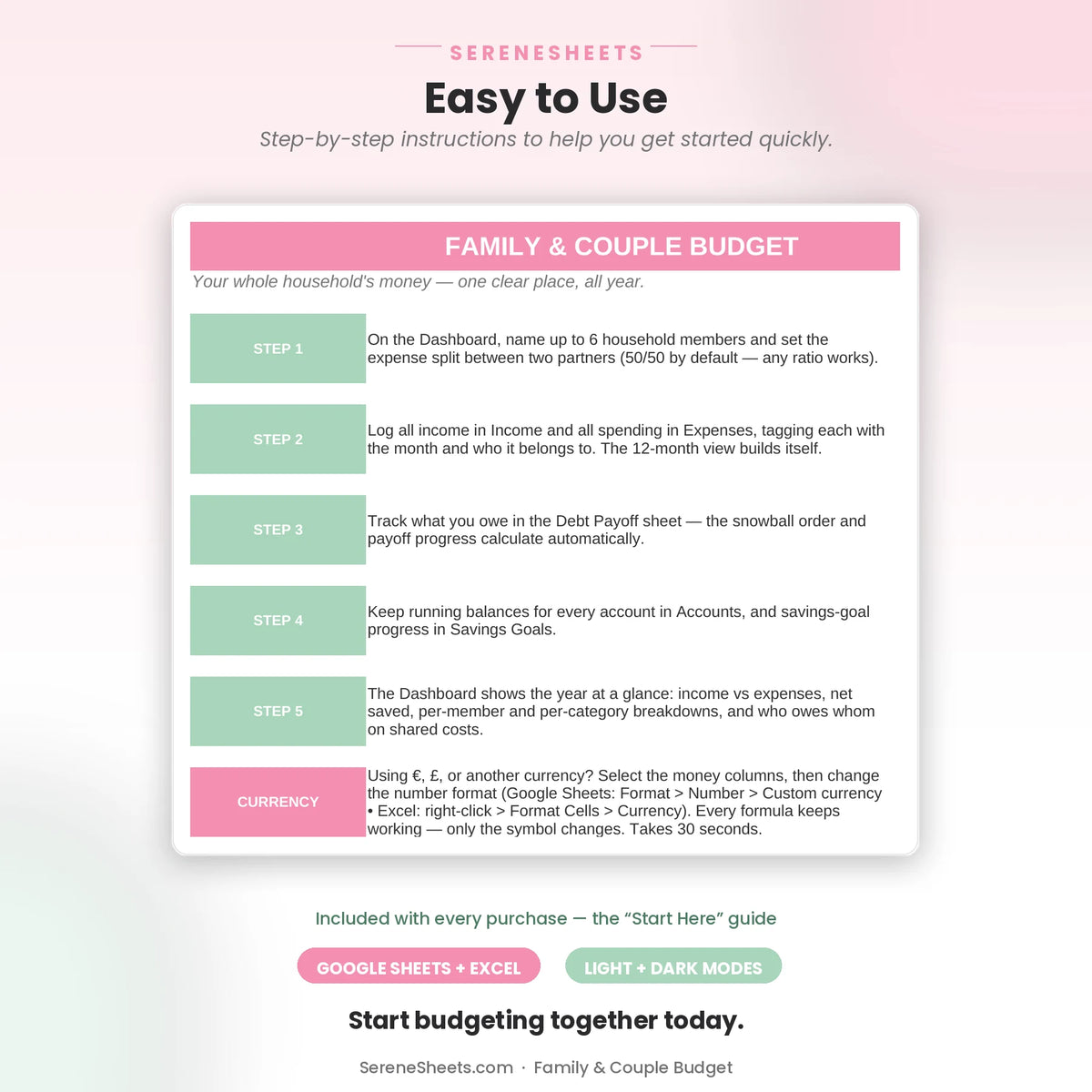
A fully automated Family & Couple Budget for households of up to 6 members, for Google Sheets and Excel. Log income and expenses tagged by member, mark each expense Shared or Personal, and the dashboard tells you exactly who owes whom for shared costs, automatically.
✨ Why You'll Love It
- ✔ "Who owes whom" settle-up calculates automatically from your agreed expense split, down to the exact amount
- ✔ Shared and Personal expenses are tracked separately, so shared costs are split fairly and personal spending stays personal
- ✔ Debt Payoff tab uses the snowball method, smallest balance first
- ✔ Accounts tab separates joint balances from individual ones
- ✔ Savings Goals tab with visual progress bars for shared goals
- ✔ Works perfectly in both Google Sheets and Microsoft Excel
📦 What's Included
- ✔ Light Edition — Excel (.xlsx) + Google Sheets copy link
- ✔ Dark Edition — Excel (.xlsx) + Google Sheets copy link
- ✔ Quick Start Guide (PDF)
🎯 Perfect For
- ✔ Couples and families who want shared costs split fairly without manual math
- ✔ Households of up to 6 people who want everyone's income and spending in one file
- ✔ Couples who want personal spending kept separate from what they share
💬 Frequently Asked Questions
How does the "who owes whom" calculation work?
Set your agreed expense split (default 50/50, fully editable), log expenses as Shared or Personal, and the dashboard compares what each partner actually paid toward Shared costs against their agreed share, then tells you plainly who owes whom and how much.
How many people can I track?
Up to 6 household members, each with their own income and expenses tagged by name.
Does it work with Google Sheets and Excel?
Yes. Every purchase includes both versions, so you can use whichever platform you prefer.
Can I use my own currency?
Yes. You can change the currency symbol in seconds without affecting any formulas or calculations.
⚙️ More Details
How it works
1. Purchase your template.
2. Download instantly after checkout.
3. Open it in Google Sheets or Microsoft Excel.
4. Enter your numbers and let the planner do the rest.
Compatibility
Compatible with Google Sheets, Microsoft Excel, Windows, Mac, and mobile viewing through Google Sheets.
Need something different?
Looking for a custom version? We can create a personalized template with different categories, a custom color theme, extra tabs, additional dashboards, or other features to match your needs. Simply contact us and tell us what you're looking for—we'd love to help.
Support & 30-Day Guarantee
Need help? Contact us anytime at support@serenesheets.com. If the template isn't the right fit, you're covered by our 30-day money-back guarantee.
Share