SereneSheets
Holiday & Christmas Budget Planner — Gift List & Expense Tracker for Google Sheets & Excel
Holiday & Christmas Budget Planner — Gift List & Expense Tracker for Google Sheets & Excel
Couldn't load pickup availability
A fully automated Holiday & Christmas Budget Planner that keeps your gift list and holiday expenses in one file for Google Sheets and Excel. Set a budget per category, log your gifts and spending, and the dashboard calculates your total spent, remaining, and gifts bought automatically — no formulas to build, no spreadsheet experience required.
✨ Why You'll Love It
- ✔ Gift List tracks budget, actual cost, bought status, and wrapped status per person
- ✔ Holiday Expenses tab covers decor, travel, cards, baking, and more — separate from gifts
- ✔ Dashboard combines gift and expense spending into one Spent So Far and Remaining total
- ✔ A built-in checker tells you right away if your category budgets don't add up to your total
- ✔ Beginner friendly — no spreadsheet experience required
- ✔ Works perfectly in both Google Sheets and Microsoft Excel
📦 What's Included
- ✔ Light Edition — Excel (.xlsx) + Google Sheets copy link
- ✔ Dark Edition — Excel (.xlsx) + Google Sheets copy link
- ✔ Quick Start Guide (PDF)
🎯 Perfect For
- ✔ Anyone budgeting for Christmas or the holiday gift season who wants to avoid a January surprise
- ✔ Families juggling gifts for many people who want to track who's covered and who isn't
- ✔ Shoppers who want holiday decor, travel, and baking costs tracked separately from gifts
💬 Frequently Asked Questions
What's included in the Holiday & Christmas Budget Planner?
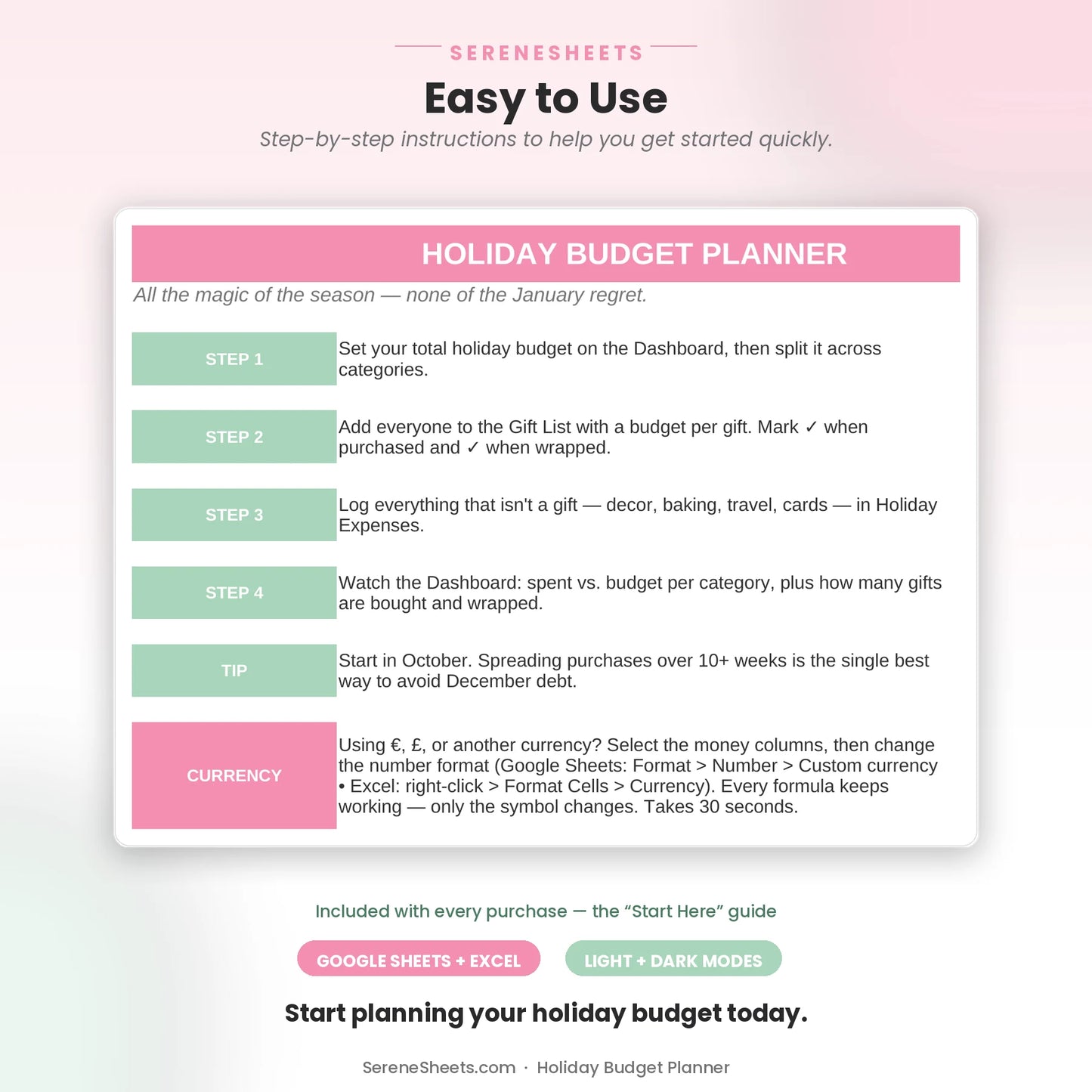
A Gift List for tracking who you're buying for and what you've spent, a Holiday Expenses tab for everything else (decor, travel, baking, cards), and a Dashboard that combines both into your total spent and remaining.
Does it work with Google Sheets and Excel?
Yes. Every purchase includes both versions, so you can use whichever platform you prefer.
Can I use my own currency?
Yes. You can change the currency symbol in seconds without affecting any formulas or calculations.
What happens if I go over budget in a category?
You'll see it right away — if a category goes over budget, the amount shows in parentheses, like ($40), in the Left/(Over) column. And if your category budgets don't add up to your total, the dashboard tells you that too.
⚙️ More Details
How it works
1. Purchase your template.
2. Download instantly after checkout.
3. Open it in Google Sheets or Microsoft Excel.
4. Enter your numbers and let the planner do the rest.
Compatibility
Compatible with Google Sheets, Microsoft Excel, Windows, Mac, and mobile viewing through Google Sheets.
Need something different?
Looking for a custom version? We can create a personalized template with different categories, a custom color theme, extra tabs, additional dashboards, or other features to match your needs. Simply contact us and tell us what you're looking for—we'd love to help.
Support & 30-Day Guarantee
Need help? Contact us anytime at support@serenesheets.com. If the template isn't the right fit, you're covered by our 30-day money-back guarantee.
Share