SereneSheets
Paycheck Budget Planner — Zero-Based Allocation for Google Sheets & Excel
Paycheck Budget Planner — Zero-Based Allocation for Google Sheets & Excel
Couldn't load pickup availability
A fully automated Paycheck Budget Planner built for zero-based budgeting, one paycheck at a time. Assign every dollar of each paycheck to bills, savings, and spending, and each sheet tells you exactly where you stand — fully allocated, still have money to assign, or over — all in one file for Google Sheets and Excel.
✨ Why You'll Love It
- ✔ 4 paycheck sheets, each with its own zero-based allocation and live status
- ✔ Each paycheck has an independent Bills block and Savings/Sinking Fund block, side by side
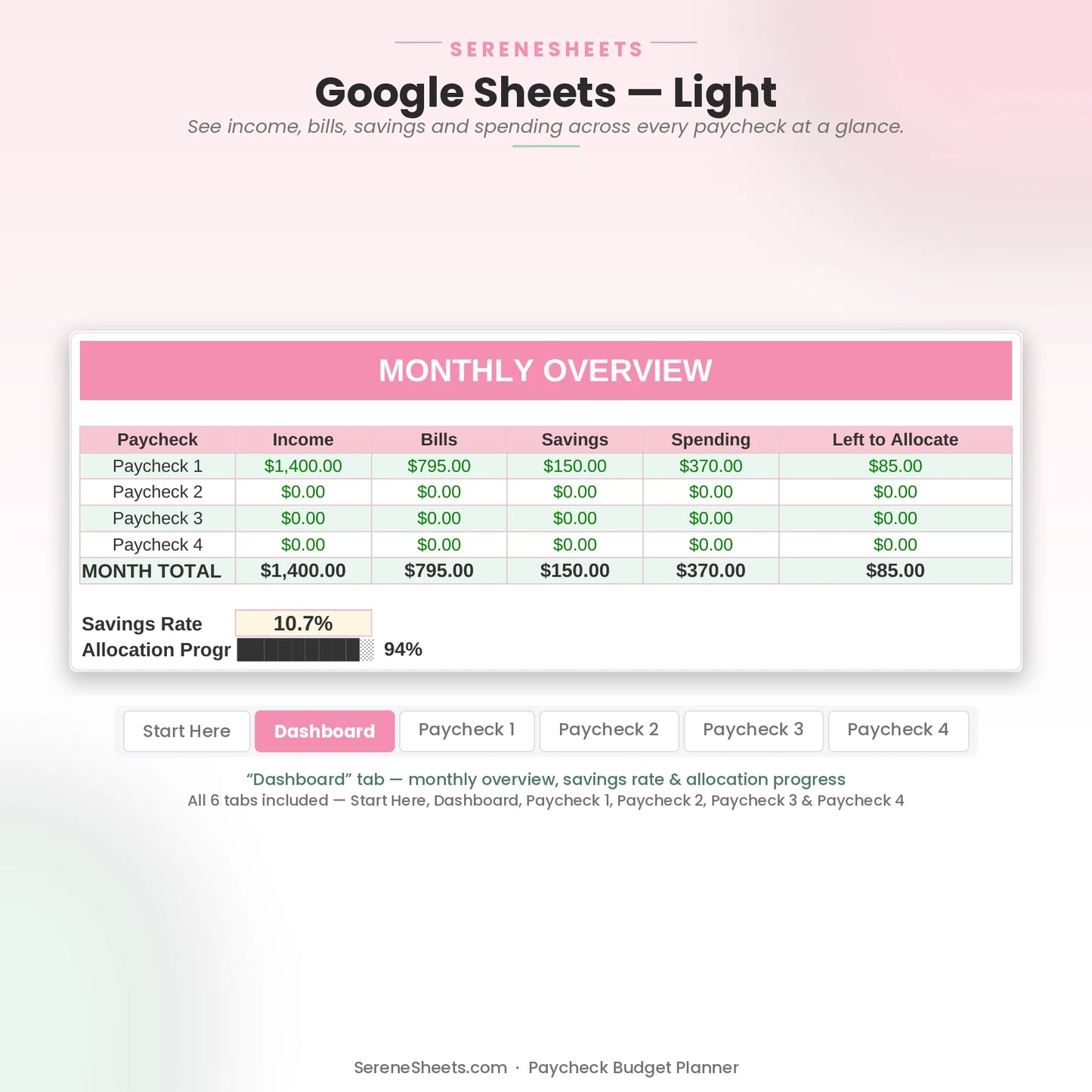
- ✔ A Dashboard rolls up all 4 paychecks into one monthly overview
- ✔ Know instantly if you're fully allocated, still have money to assign, or over — right on the sheet
- ✔ Beginner friendly — no spreadsheet experience required
- ✔ Works perfectly in both Google Sheets and Microsoft Excel
📦 What's Included
- ✔ Light Edition — Excel (.xlsx) + Google Sheets copy link
- ✔ Dark Edition — Excel (.xlsx) + Google Sheets copy link
- ✔ Quick Start Guide (PDF)
🎯 Perfect For
- ✔ Anyone paid on a biweekly or similar 4-paycheck-a-month schedule
- ✔ Zero-based budgeters who want every dollar assigned before they spend it
- ✔ People who want a clear yes/no answer on whether this paycheck is fully budgeted
💬 Frequently Asked Questions
What's included in the Paycheck Budget Planner?
4 paycheck sheets, each with its own zero-based allocation for bills, savings, and spending, plus a Dashboard that combines all 4 into one monthly overview.
Does it work with Google Sheets and Excel?
Yes. Every purchase includes both versions, so you can use whichever platform you prefer.
Can I use my own currency?
Yes. You can change the currency symbol in seconds without affecting any formulas or calculations.
How do I know if I've allocated my paycheck correctly?
Each paycheck sheet tells you instantly: ✓ Fully Allocated, Assign $X more, or ⚠ Over by $X — no guessing, no manual math.
⚙️ More Details
How it works
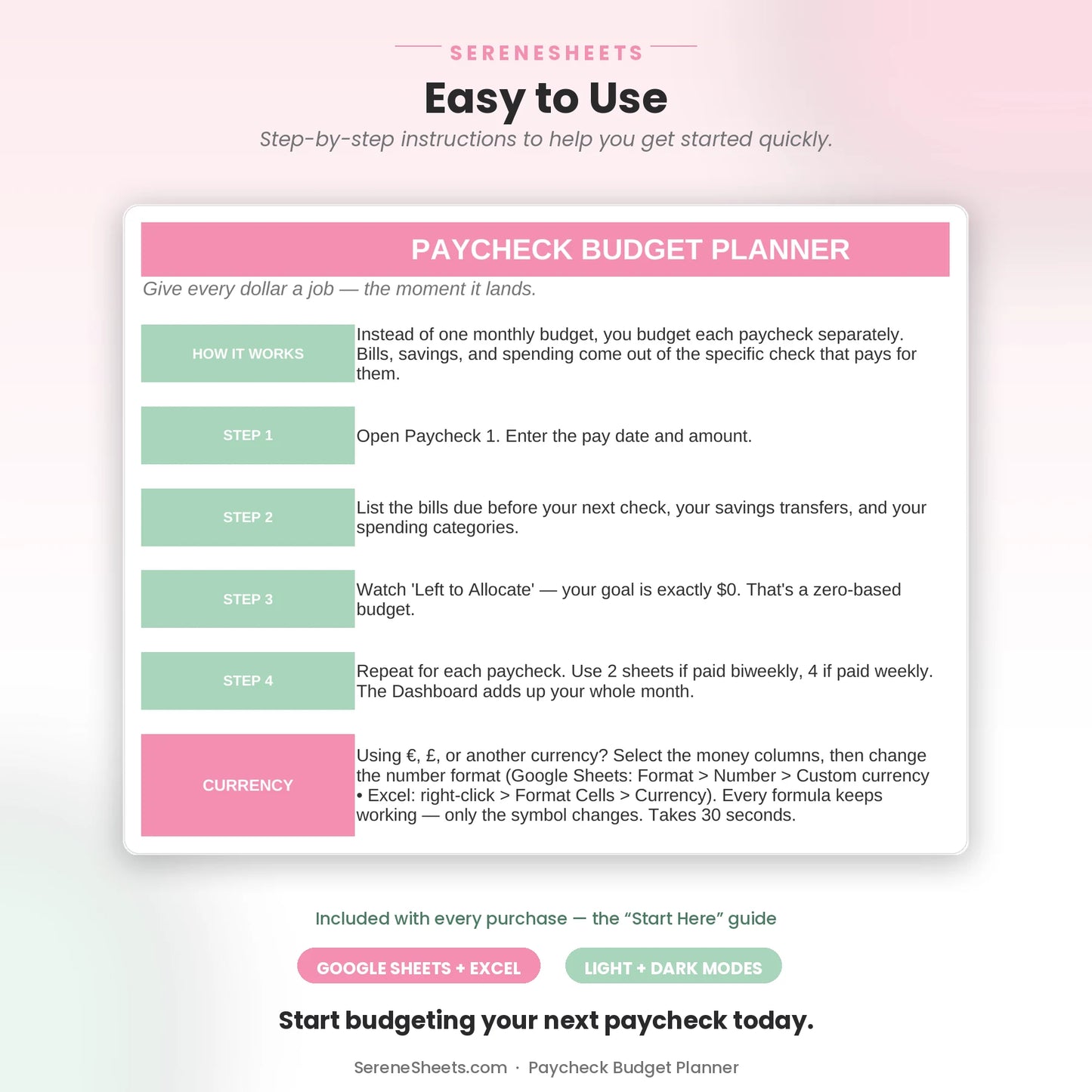
1. Purchase your template.
2. Download instantly after checkout.
3. Open it in Google Sheets or Microsoft Excel.
4. Enter your numbers and let the planner do the rest.
Compatibility
Compatible with Google Sheets, Microsoft Excel, Windows, Mac, and mobile viewing through Google Sheets.
Need something different?
Looking for a custom version? We can create a personalized template with different categories, a custom color theme, extra tabs, additional dashboards, or other features to match your needs. Simply contact us and tell us what you're looking for—we'd love to help.
Support & 30-Day Guarantee
Need help? Contact us anytime at support@serenesheets.com. If the template isn't the right fit, you're covered by our 30-day money-back guarantee.
Share